dada tbd/docs
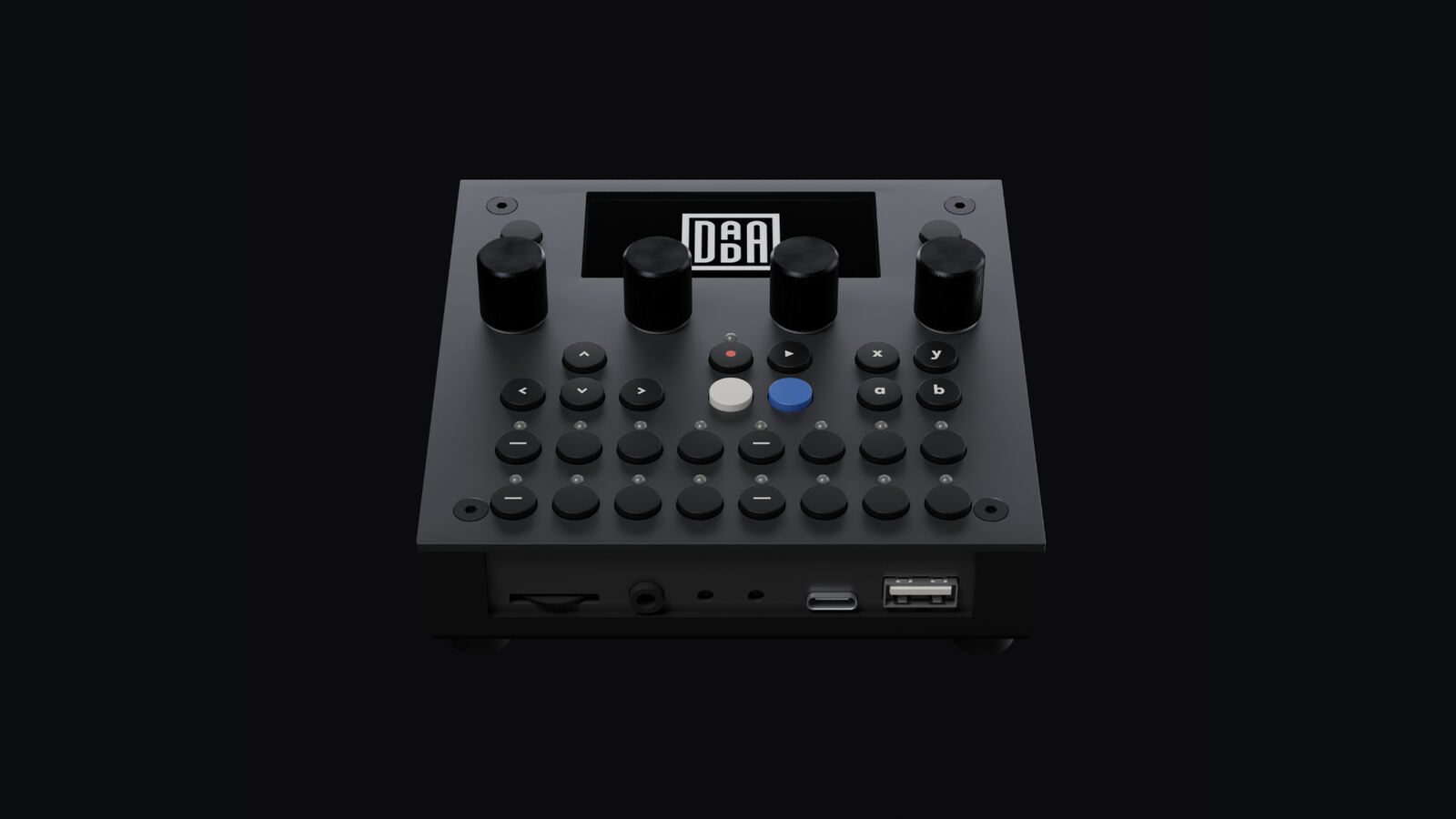
The open audio platform
for musicians and developers.
The dadamachines TBD-16 is a standalone desktop instrument built on CTAG TBD, an open-source audio DSP engine: a 16-track rack of machines, 50+ synthesizers and effects, standard MIDI, a browser-based UI and Ableton Link, with a desktop simulator for developers.
An instrument you can truly make your own.
Most electronic instruments are closed boxes — you get the sounds the manufacturer chose, and that's it. TBD is different. The DSP engine, firmware, and plugin system are fully open source (GPL 3.0). You can play it out of the box, or dive into the code and shape it into exactly the instrument you need.
Try It Without Hardware
The desktop simulator serves the same WebUI, so you can build and play machines and plugins before you flash anything.
Open-Source Software
The DSP engine, sound processors, rack layer, tools and simulator are GPL 3.0 — full source access; study, modify, contribute. (The WebUI is a dadamachines proprietary app talking to the firmware over its REST API.)
No Lock-In
Standard MIDI, standard audio jacks, SD card storage. Your instruments and sounds belong to you.
Built on CTAG TBD
The audio engine and the CTAG plugins come from the CTAG TBD project by Robert Manzke.
Multicore architecture. Three processors, one open platform.
The TBD-16 runs three processors in parallel: the ESP32-P4 (dual-core RISC-V) runs the audio engine, the rack and the plugins, the RP2350 drives the panel, MIDI and sequencing, and the ESP32-C6 manages WiFi & Ableton Link. The same plugin code also builds for a desktop simulator.
Machines
Drums and synth voices for the 16-track rack, scaffolded from a small JSON descriptor.
CTAG Plugins
Standalone sound processors in C++, tested in the desktop simulator before flashing.
Controller Apps
MIDI controllers, sequencers or control surfaces on the RP2350, with Arduino & PlatformIO.
Ableton Link
Tempo sync with Ableton Live, iOS apps, and any Link-enabled device on the same network.
Jump in wherever you are.
Whether you're a musician, a developer, or both — there's a path for you.
Play a TBD-16
The user manual for the instrument lives on docs.dadamachines.com.
Get Started
What is in this repository, the three paths, and the simulator first: no hardware needed.
Write Sound and Apps
Write a machine for the rack, a CTAG plugin, or an app on the RP2350. The sound guides start in the simulator.
Hardware
The TBD-16, the TBD Open Board, and your own board.
Supported by NLnet through the NGI0 Commons Fund.
Shape the platform.
TBD is built by a growing community of developers, musicians, and manufacturers. Here's how you can contribute.
Contribute a Plugin
Write a synthesizer, effect, or drum machine in C++. Test it in the desktop simulator, then submit a pull request.
Create a Plugin →Build an App
Write a MIDI controller, sequencer or control surface for the RP2350, starting from the app template.
App Development Setup →Build Your Own Hardware Product
Already shipping VST, AU, or LV2 plugins? Your C++ DSP code can run on TBD hardware. Build on the TBD Open Board or your own board with dadamachines. Your product can focus on a single signature sound, offer a curated collection, or ship the full multi-plugin TBD experience — same open engine, your hardware, your brand.
Talk to dadamachines →